As an Amazon Associate, we earn from qualifying purchases. Some links on this site are affiliate links at no extra cost to you. Our recommendations are based on thorough research and editorial judgment.

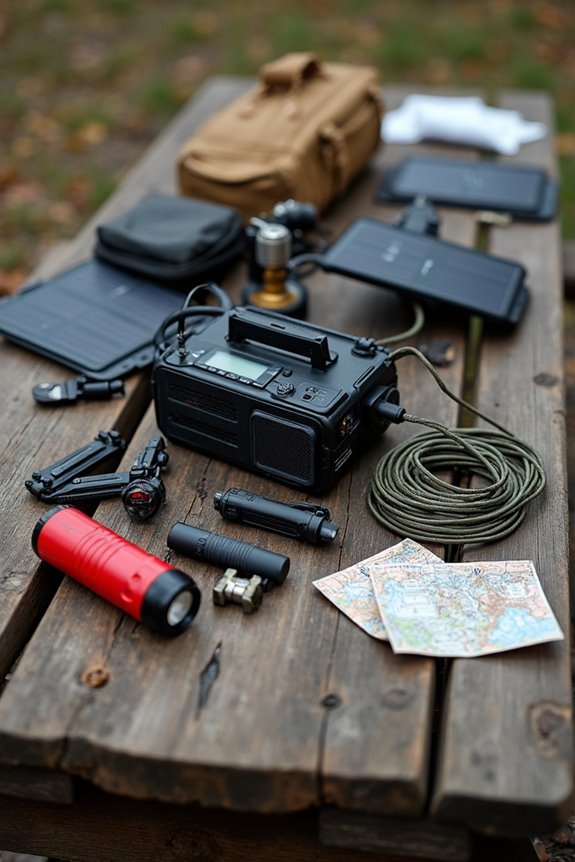
How To Recharge A Power Station Safely?

To recharge a power station safely, we start with a power source check and inspect the cables. Next, verify the station’s compatible with your charger and avoid using fun, funky adapters. Keep the area ventilated, stable, and away from moisture. We should unplug the station when it’s fully charged to prevent overcharging. Storing the station in a cool, dry spot helps too. There are more tips to keep our power station healthy, so let’s carry on!
Key Takeaways
- Conduct a power source assessment to ensure the outlet is reliable before connecting your power station.
- Inspect the charging cables for any signs of damage or wear to prevent malfunction.
- Charge the power station in a well-ventilated area, keeping a 12-inch clearance around vents.
- Use only manufacturer-approved chargers to ensure compatibility with the power station’s voltage and amperage.
- Monitor the station for unusual heat and unplug it once fully charged to avoid overcharging.
Preparation Before Charging
Before we immerse ourselves in charging our power station, let’s take a moment to get ourselves ready. First, we need to do a power source assessment. Is the outlet reliable? A trusty power source is key! Next, let’s check our charging cables. A cable inspection is essential—look for any damage or wear. Don’t want a frayed cord messing things up, right?
As we’re setting up, let’s consider environmental conditions too; temperature and humidity matter! Finally, make certain our charging equipment is compatible with our power station to avoid any surprises. Taking these preparation steps now guarantees a safe charging experience later. Remember, ensuring weather conditions preparedness can help us avoid any hazards. We’re almost there, folks! Remember, safety first means smooth sailing ahead.
Battery Management and Protection
Once we’ve set up our power station for charging, it’s time to focus on battery management and protection. To keep our battery health in check, we should aim to maintain its charge between 20% and 80%. This helps prolong its lifespan. Remember, overcharging or letting it dip below 20% is like inviting trouble to our battery party.
We also need to use only manufacturer-approved chargers. These chargers guarantee we follow proper charging techniques that match our battery type, preventing overheating or damage. Every couple of months, we should perform a full charge-discharge cycle—it’s like a little workout for our battery’s brain, guaranteeing it stays sharp and accurate. Additionally, adhering to safety and durability standards can further enhance the longevity of our power station. By following these tips, we can help our power stations thrive!
Recommended Products

【24 hours Customer Service】Cloudenergy provides technical support and online customer service with fast feedback within 24 hours. If you have any product-related issues or questions, please get in touch with us directly, Cloudenergy support team is always here for you.

Limited-Time Perks: E10 Metal Pad, Up to 12-Month 0% APR

Whole-Home Off-Grid Power: Still worried about power outages or unstable electricity? This system includes six 51.2V 100Ah LiFePO4 batteries and one 10000W MPPT hybrid inverter. It can support high-power appliances such as refrigerators and air conditioners, enabling stable whole-home power supply. It meets the needs of off-grid living and backup power, providing a reliable solution for energy independence.
Charging Environment Safety

When it comes to charging our power stations, it’s essential to think about the environment we’re doing it in. First, let’s keep ventilation requirements in mind. We should charge in well-ventilated areas, ensuring at least a 12-inch clearance around vents. This helps prevent heat buildup and overheating.
Next, we need to watch for moisture risks. Charging our units in wet or damp conditions is a big no-no! We don’t want electrical shorts or shocks, so let’s avoid spills and keep things dry.
Finally, let’s place our power stations on stable surfaces away from any flammable materials. Additionally, considering the safety features in different models can further enhance protection during the charging process. By being mindful of our charging environment, we can protect our power stations and ourselves. Safety first, right?
Recommended Products

Professional Tennis Ball Machine with Smart Control: The PUSUN PT MAX C tennis ball machine features dual control options via the "PUSUN Tennis" App and remote controller. Compatible with both tennis and padel tennis balls, this portable machine comes with convenient wheels and a retractable handle for easy transportation and storage.

SECURE 10-DEVICE CHARGING HUB – Effortlessly store and charge up to 10 devices, including all generations of iPads, most 11" Chromebooks, and various tablets. This unit features two permanently connected tubs with an internal 10-outlet power strip to keep your technology ready for every lesson.

FITS MOST MINI FRIDGES WITH PROPER VENTILATION: The dedicated fridge compartment measures 19.3"W × 19.3"D × 34.6"H, designed to accommodate most standard mini fridges, beverage coolers, and wine refrigerators. A sturdy 5mm thick back panel enhances overall stability while featuring 9 pre-drilled ventilation holes to promote consistent airflow and help prevent heat buildup for better appliance performance. The 2-inch cable pass-through keeps power cords neatly organized and out of sight for a cleaner look. (Fridge not included)
Safe Usage During Charging

While we’re all excited to keep our power stations charged and ready for use, it’s vital to follow safe usage practices during the charging process. First things first—let’s use only manufacturer-approved chargers. This guarantees our power station’s compatibility with voltage and amperage requirements.
We should also keep our stations on a flat, stable surface while monitoring for any unusual heat. Remember, heat management is imperative! It helps prevent overheating and prolongs battery life. Unplugging the station once it’s fully charged is a smart move, too. And hey, no need for any funky adapters or extension cords—let’s stick to the charging protocols the manufacturer recommends. Additionally, consider the safety features offered by your power station, as they can provide important protection during charging. Safe charging keeps our adventures powered without unnecessary risks!
Recommended Products

Essential Home Backup: With a robust 3600W output (7200W surge) and a 3072Wh capacity, the Jackery HomePower 3000 provides reliable backup power for home essentials - fridge, fan, WiFi router, lights, etc. It effortlessly powers a household for up to 15 hours and keeps a refrigerator running for 1 to 2 days, ensuring you're always prepared when outages strike.

Versatile Charging Capability: The EVEMS240-200 (for 125A -200A Services) supports diverse EV charge rates including 20/24 Amp (4.8/5.7KW), 30/32 Amp (7.2/7.68 KW), 40 Amp (9.6 KW), and 48 Amp (11.5 KW), making it adaptable for various electric vehicles and other compatible devices. The compact size (8”x 6”x 4”) allows for easy installation near an electrical panel. The intelligent computer algorithm allows for extended “on” times. EV CHARGER SOLD SEPARATELY. Works with any Brand of EV Charger.
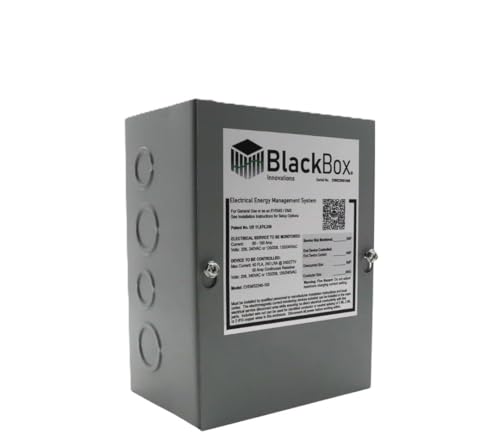
VERSATILE CHARGING CAPABILITY: The EVEMS240-100 supports diverse EV charge rates including 16 Amp (3.8 KW), 20/24 Amp (4.8/5.7KW), 30/32 Amp (7.2/7.68 KW), 40 Amp (9.6 KW), and 48 Amp (11.5 KW), making it adaptable for various electric vehicles and other compatible devices. The compact size (8”x 6”x 4”) allows for easy installation near an electrical panel. The patented intelligent computer algorithm allows for extended “on” times. EV CHARGER SOLD SEPARATELY.Works with any Brand of EV Charger.
Handling and Storage Practices

To keep our power stations in top shape, knowing how to handle and store them properly is key. We should always store them in cool, dry, and well-ventilated areas to avoid overheating and moisture damage. Steer clear of direct sunlight or heaters, as they can make our batteries degrade faster—yikes!
For handling precautions, let’s use shock-absorbent materials when transporting. It really helps prevent those dreaded drops! Keeping our power stations on flat surfaces is also essential; nobody likes a toppled unit.
Before long-term storage, let’s power down completely and verify they’re charged around 40-60%. Periodic checks will keep them healthy and ready for action. With these practices in place, we can enjoy our power stations worry-free! Regular maintenance, like checking the fuel tank, ensures optimal performance and longevity of the units.
Using Proper Accessories
Using the right accessories is essential for keeping our power stations powered up and ready for action. When it comes to accessory compatibility, we should always use the cables designed for our specific power station model. This helps guarantee maximum charging efficiency and protects our devices.
Let’s make sure our cables support the station’s peak power while avoiding those generic options. Also, we need AC adapters that match manufacturer specifications and use the correct DC adapters for our car. Remember, keeping an eye on adapter temperatures can help prevent overheating. Additionally, using high wattage outputs not only ensures faster charging but also enhances overall efficiency.
Finally, protective accessories, like carrying cases and dust covers, safeguard our power stations. Trust us—it’ll save us headaches in the long run!
Recommended Products

SPECS: 6.8” W x 2.6” H x 3.6” L | 3 x AC Power Outlets – 3 x USB-A & 1 x USB-C Charging Ports | 4.9 Ft Cord | White | 400 Pcs

Silent Sound System 100 Pack Silent Disco LED Headphone Package (100 RF Headphones / 3 Transmitters)
Play audio from up to 3 channels!

SPECS: 6.8” W x 2.6” H x 3.6” L | 3 x AC Power Outlets – 4 x USB-A Charging Ports | 4.9 Ft Cord | Black | 200 Pcs
Following Manufacturer Guidelines
Whenever we charge our power stations, sticking to the manufacturer guidelines is vital. The importance of manuals can’t be overstated! Each model has specific charging specifications to help us avoid mishaps. They guide us on ideal charging ports and the best chargers to use.
Using manufacturer-approved chargers is essential for our power station’s health. Remember, mixing up chargers can stress our batteries or even void warranties—yikes!
Let’s keep our charging environment in check, too. No charging in extreme temperatures or wet spots, please!
Recommended Products

Versatile Charging Capability: The EVEMS240-100 -3R supports diverse Weatherproof EV charge rates ( for 60A to 100A Service Sizes) including 20/24 Amp (4.8/5.7KW), 30/32 Amp (7.2/7.68 KW), 40 Amp (9.6 KW), and 48 Amp (11.5 KW), making it adaptable for various electric vehicles and other compatible devices. The compact size (8”x 6”x 4”) allows for easy installation near an electrical panel. The intelligent computer algorithm allows for extended “on” times. EV CHARGER SOLD SEPARATELY. Works with any brand of EV Charger.

Powerful yet Compact: Boasting a 1,500W AC output and a 3,000W surge peak, the Solar Generator 1000 V2 can power multiple appliances, including AC units, fridges, and electric pots. With a 1050Wh capacity and a lightweight build of only 23.8 lbs, along with a foldable handle, it makes an excellent companion for outdoor camping, road trips, or emergencies.

[Unmatched Charging Speed] Experience the future of power with OUPES Mega 1 Lite. Featuring a massive 1400W AC input, this power station recharges from 0 to 100% in just 46 minutes. Never wait hours again; get back to your adventure or secure your home backup in the time it takes to have a lunch break.
Monitoring Performance and Safety
After following the manufacturer’s guidelines, it’s time to pay attention to how our power stations are performing while they’re charging. We need to use sensor networks to keep an eye on critical parameters like temperature and electrical output. These sensors help us spot problems before they escalate, thanks to predictive analytics.
Let’s track everything! Monitoring conditions like humidity and pressure guarantees we stay within safe limits. If something goes off, we’ll get alerts right away. We should also check for early signs of wear on our equipment by analyzing stress factors.
Frequently Asked Questions
Can I Charge My Power Station While Using It?
Yes, we can charge our power station while using it, provided it supports dual usage safety. This can enhance power station efficiency, but let’s always guarantee proper ventilation and avoid overloading to keep everything safe.
What Should I Do if My Power Station Overheats?
If our power station shows overheating signs, let’s promptly turn it off and unplug devices. We should move it to a cool spot, allowing natural cooling methods, while avoiding any drastic temperature changes that could cause damage.
How Long Does It Take to Fully Charge a Power Station?
It typically takes a few hours to fully charge a power station, depending on wattage. We should remember that good charging efficiency can enhance battery lifespan, ensuring our devices last longer and perform better.
Is It Safe to Leave My Power Station Charging Overnight?
While our power stations dream through the night, we can safely charge them by following best practices. Overnight safety thrives when we use quality chargers, monitor for issues, and guarantee proper ventilation while they replenish.
What Types of Devices Can I Charge With My Power Station?
We can charge a variety of compatible gadgets with our power station, including smartphones, mini fridges, and laptops. With multiple charging options like USB and AC outlets, it makes staying powered up easy and convenient.